Cool Papers Browser Extension Upgraded to v0.2.0
Earlier this year, in A More Convenient Way to Open Cool Papers: A Chrome Redirect Extension, we released a Chrome browser extension (Cool Papers Redirector v0.1.0) that lets you redirect to Cool Papers from any webpage via the right-click context menu, making it easier to access Kimi's understanding of papers. A few days ago we upgraded this extension to v0.2.0 and it's now live on the Chrome Web Store, so we wanted to share the update here.
Summary of Changes
Compared to the previous v0.1.0, the main changes in v0.2.0 are as follows:
1. Context menu redirects now open in a new tab;
2. The context menu now supports accessing multiple paper IDs at once;
3. The context menu now works on PDF pages;
4. The context menu now supports more paper sources (arXiv, OpenReview, ACL, IJCAI, PMLR);
5. When no paper ID can be found, the context menu now falls back to in-site search (i.e., search-by-selected-text);
6. Quick-jump links have been inserted at appropriate spots on certain websites (arXiv, OpenReview, ACL).
Let's go through these changes in more detail.
Context Menu
The first five changes above all concern the context menu, which is the core functionality of the Cool Papers extension. Its logic works as follows: when you right-click, it checks in turn the selected text, the hyperlink, and the page URL for a paper ID, and if one is found, it redirects you to the corresponding Cool Papers page.
v0.1.0 was written back when Cool Papers was first launched, and at the time it only recognized a single arXiv paper ID. Now it supports recognizing multiple paper IDs and opening them all on the same page, and it supports five paper sources: arXiv, OpenReview, ACL, IJCAI, and PMLR (more will be added gradually; these were just the easiest ones to add for now). Another important improvement is that redirection previously didn't work on PDF pages — for example, if you visited an arXiv PDF like "https://arxiv/org/pdf/xxxx.xxxxx", right-clicking wouldn't even show "Redirect to Cool Papers" at all. This was a leftover issue from the old version, and it's now fixed.
Finally, if no paper ID can be detected in the selected text, the hyperlink, or the page URL, the extension will simply use the selected text as a query and jump to the in-site search page on Cool Papers — effectively turning it into a search-by-selected-text feature.
Page Links
The last change is a new feature beyond the context menu: it inserts hyperlinks to Cool Papers at appropriate locations on certain pages, including arXiv listing pages, arXiv abstract pages, all of OpenReview, and ACL abstract pages. Hopefully this change won't interfere with your normal browsing of these pages — if it does cause any inconvenience, please let us know.
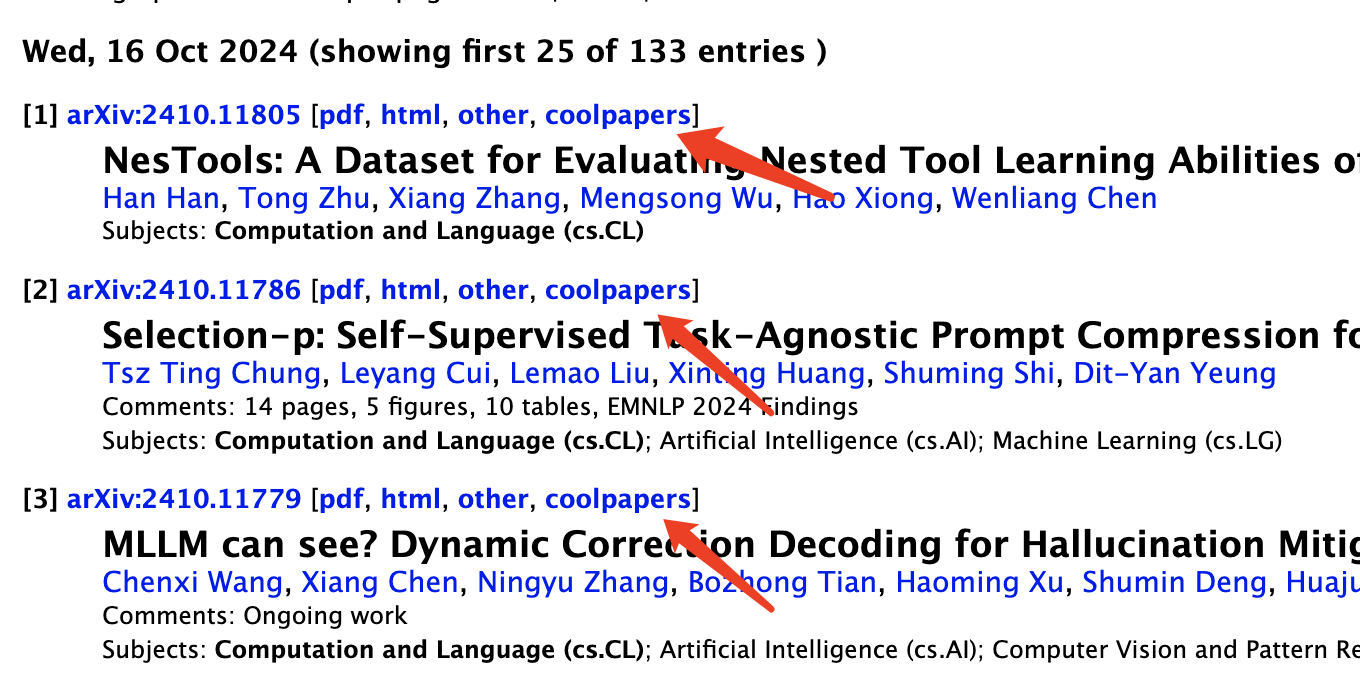 Quick link on the arXiv listing page
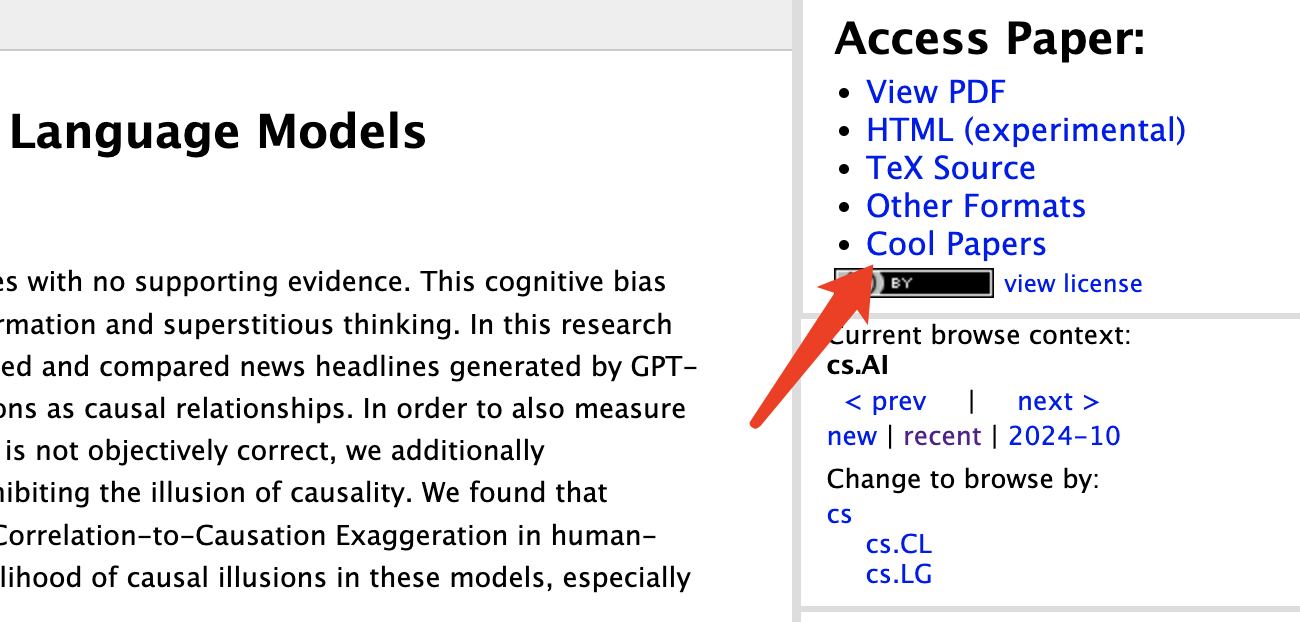 Quick link on the arXiv abstract page
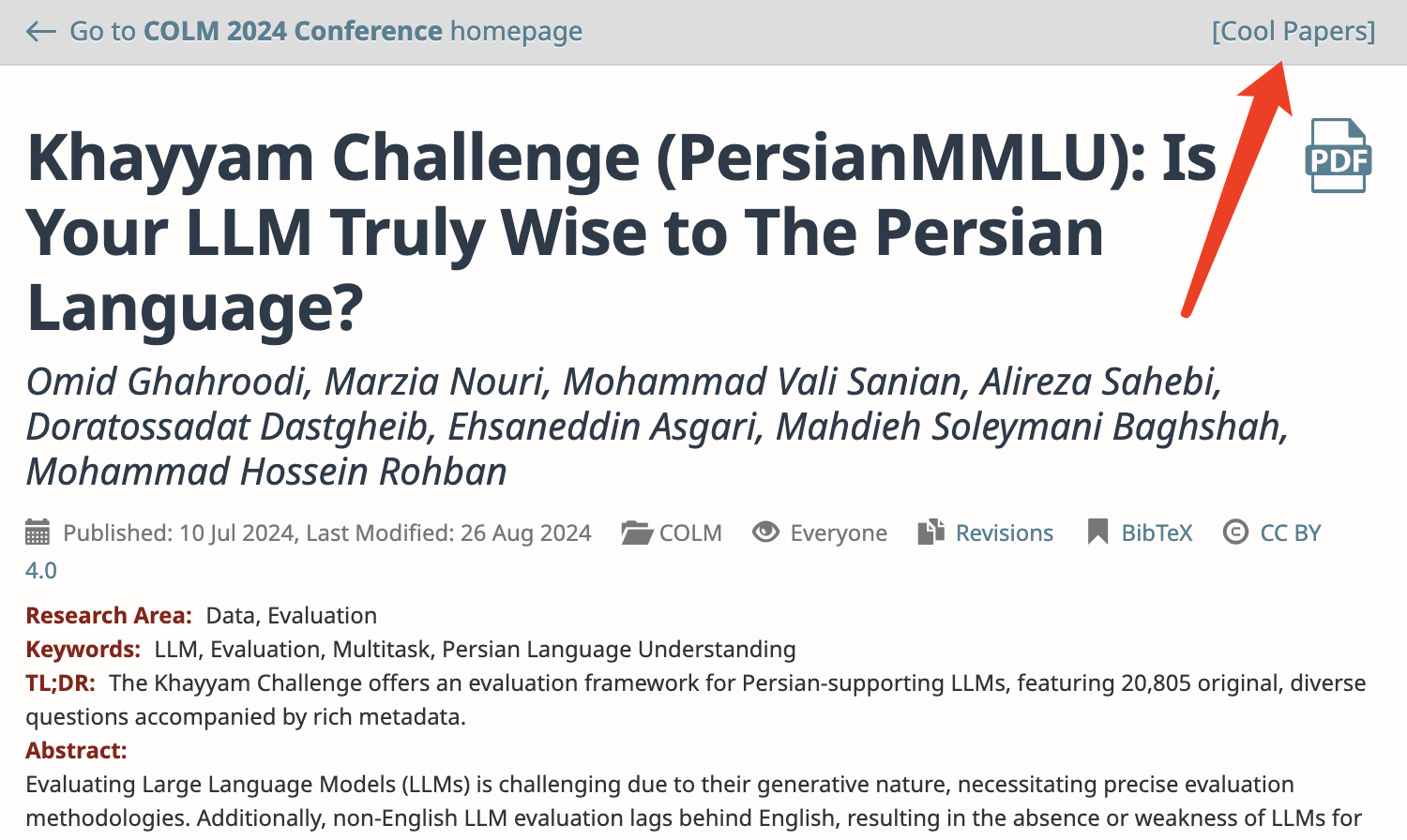 Quick link on OpenReview
 Quick link on the ACL abstract page
Summary
This post presents a simple upgrade to the Cool Papers Redirector browser extension based on the author's own usage experience. Everyone is welcome to try it out. If you have further suggestions for improvement, feel free to leave a comment.
Translated automatically with claude-sonnet-5; all equations are reproduced verbatim from the source. Copyright remains with the original author.