A More Convenient Way to Open Cool Papers: A Chrome Redirect Extension
Some background
Ever since Cool Papers went live, many users have suggested that I add a search feature. Later I did put together a simple in-page search on the front end using JS, which addressed some users' needs, but there are still readers who would like a more complete, global search. I do understand this need exists, but Cool Papers' data accumulates day by day — it's only been live for a month, so the number of papers isn't very large, and building a large, comprehensive search engine doesn't make much sense at this stage. What's more, search isn't really my strong suit, and I don't yet have a great idea for using LLMs to improve search, and so on. In short, I don't currently have the conditions to build a comprehensive, distinctive search feature, so I'd rather not do it at all (though I do welcome everyone to brainstorm in the comments).
Later, after discussing with a colleague, we came up with a "borrowed flowers offered to Buddha" idea — write a Chrome redirect extension that can redirect from any page to Cool Papers. This way, we can find papers on Arxiv through any method (such as a Google search or directly through Arxiv's own search), and then just right-click to jump straight to Cool Papers. This extension went live on the Chrome Web Store two weeks ago, and last week the server side made some accompanying adjustments, so now everyone can try it out.
Extension link: Cool Papers Redirector
How to use it
Using the extension is very simple. Once it's successfully installed in Chrome, search for a paper by any means, then right-click on the relevant spot (sometimes even blank areas work), and an extra option, "Redirect to Cool Papers," will appear. Clicking this option makes the browser automatically detect any paper ID that might be present in the "selected text," "selected link," or "page URL" (stopping as soon as one is found), and automatically jump to the corresponding Cool Papers page. Here's what it looks like:
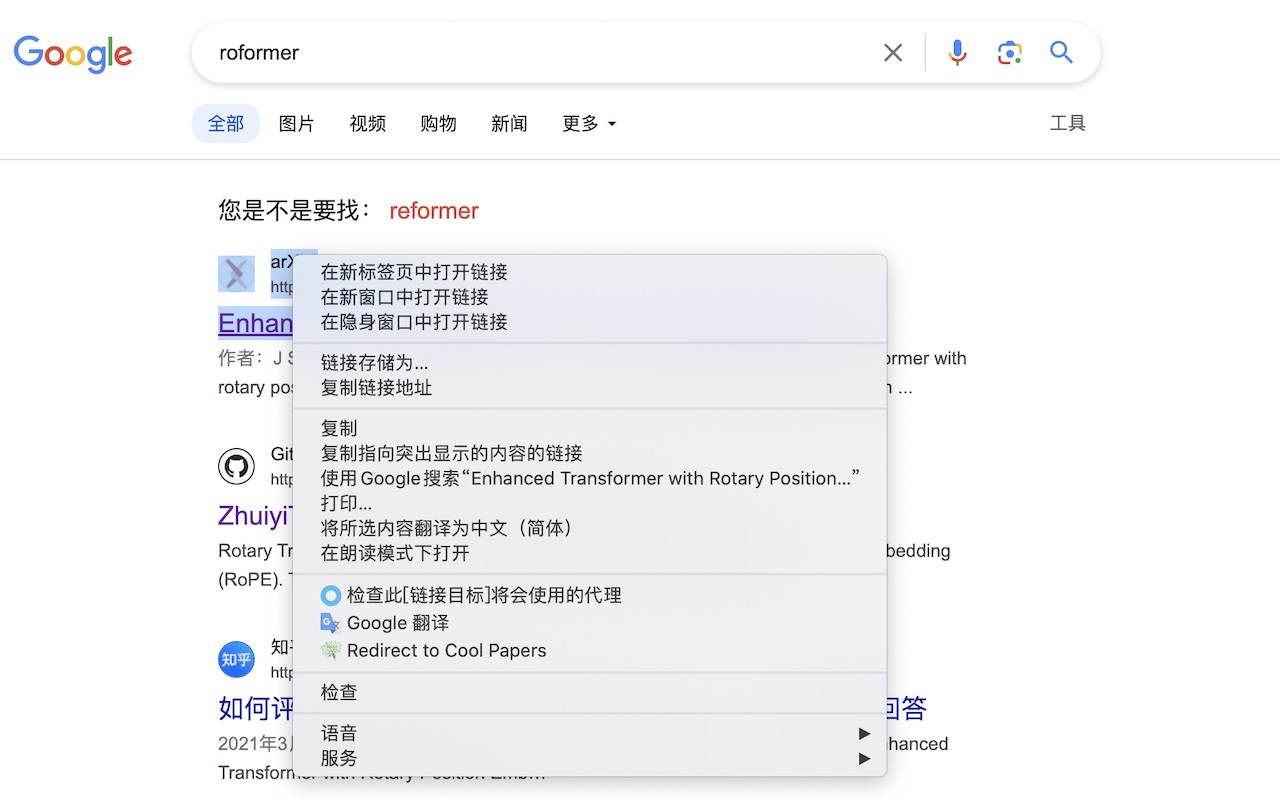 Right-click redirect effect 1
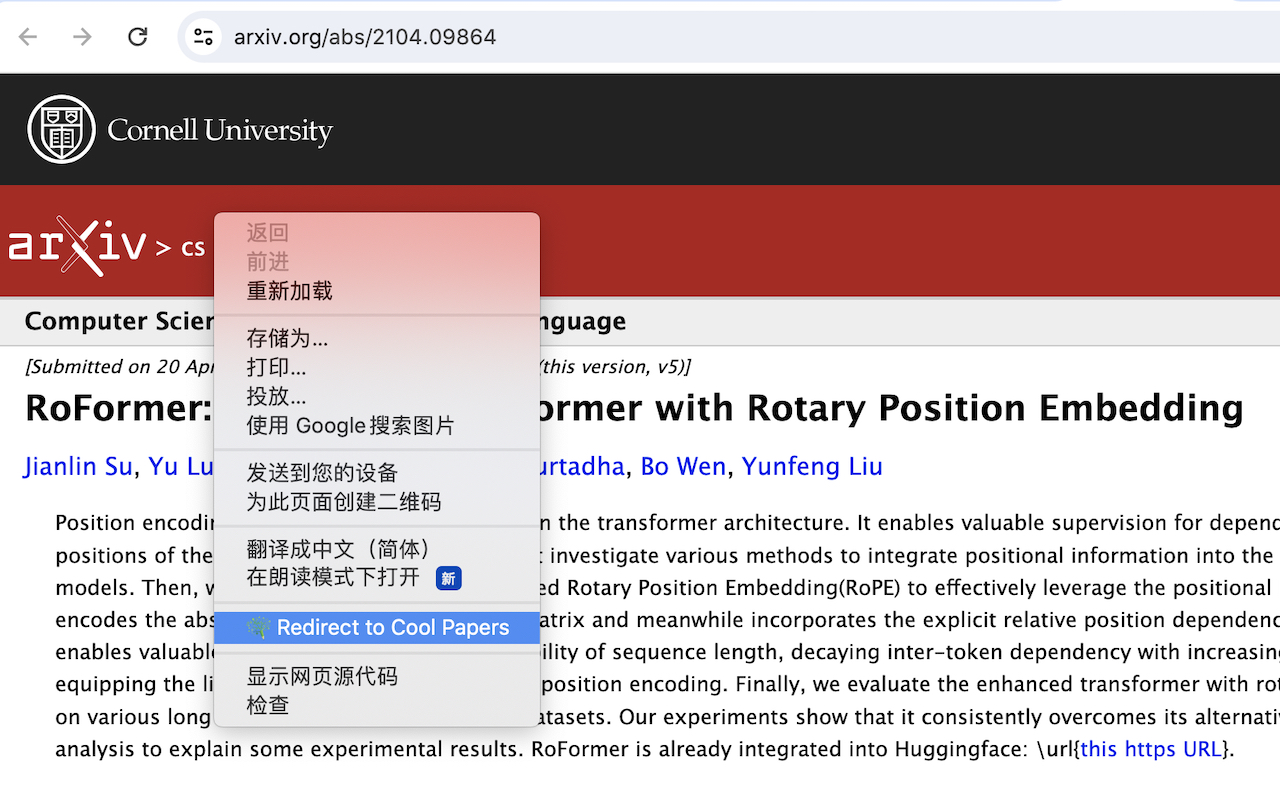 Right-click redirect effect 2
Opening up the historical archive
Building an extension like this is actually fairly straightforward — it just takes simple HTML + JS, though of course that's thanks to the joint guidance of GPT-4 and Kimi.
Since developing the extension itself wasn't the hard part, that left one remaining challenge: the pressure that comes with fully opening up access to historical papers. Many users have already noticed that Cool Papers previously allowed access to specific papers via https://papers.cool/arxiv/<paper_id>, but only for papers already in the database — anything not there would show "Not Found." If we want to promote the use of Cool Papers Redirector, though, we necessarily need to open up crawling and access to the entire historical archive of Arxiv papers. Otherwise, if eight out of every ten papers show "Not Found," the Redirector would be almost pointless.
To open up access to historical papers while still ensuring that Cool Papers' main line of business — browsing the latest papers of the day — runs smoothly, I designed a multi-priority system (currently three tiers) for both the Arxiv crawling queue and the Kimi conversation queue. First, "super VIP" is our internal privilege, unlocked by entering the correct Magic Token; this has nothing to do with ordinary visitors. Second, the current day's papers get priority — once the scheduled time arrives, the Arxiv queue first fetches the day's paper list before processing requests for historical papers; similarly, the Kimi queue prioritizes the current day's papers, which automatically "jump the line" ahead of historical papers. Finally, crawling and Kimi processing for historical papers are both third priority.
This way, we can basically ensure that reading the current day's papers is unaffected, while idle resources get used to process historical papers.
Other updates
Compared to when Built an assistant site for browsing papers: Cool Papers and Happy New Year! Some notes on the development experience of Cool Papers were first published, Cool Papers has, after a month of improvements, become considerably more full-featured (though the interface remains as bare-bones as ever). Besides opening up access to all historical papers as described in this post, other changes include:
1. Added a bar at the bottom for searching papers, viewing/exporting reading history, etc. — though of course these features are all limited to within the page;
2. Support for paper lists on a specified date — you can pick a date via the calendar icon on the right side of the homepage categories, or click the date text on a list page to choose a date;
3. Switched to PDF.js for PDF previews, adding support for browsing papers on mobile, while also improving PDF text parsing to raise the quality of [Kimi];
5. The 4th bar button now lets you switch [Kimi]'s output to English, for the convenience of international users or anyone who wants to compare against the English original;
6. A whole bunch of minor bug fixes~
Overall, the interface may look mostly unchanged, but in practice there have been improvements, big or small, almost every day. Compared to the initial version, the source code is honestly "unrecognizable" at this point. What's next is likely adding other paper sources, such as OpenReview and bioRxiv, so stay tuned~
Summary
This post introduced a new way to open Cool Papers via a Chrome redirect extension, and briefly reviewed some recent changes to Cool Papers.
Translated automatically with claude-sonnet-5; all equations are reproduced verbatim from the source. Copyright remains with the original author.