Two Impressive Python Libraries: tqdm and retry
Python is essentially the only programming language I currently use for work, computation, and data mining (aside from Mathematica for symbolic computation). Of course, Python's built-in functionality isn't all that powerful on its own, but its real strength lies in its enormous ecosystem of third-party libraries. When choosing which third-party library to use, I always think it over carefully, hoping to pick the simplest and most intuitive one (because I'm not that clever, and I can't handle anything too complicated). For data processing, the libraries I use most are Numpy and Pandas—both of these are truly top-tier libraries. Of course, Scipy also deserves a mention, though I rarely call it directly, usually going through Pandas instead. For visualization, it goes without saying that it's Matplotlib. For modeling, I use Keras to build deep learning models directly; Keras has become quite a popular deep learning framework. For text mining, I typically also use jieba (tokenization) and Gensim (topic modeling, which includes models like word2vec). There's also the popular machine learning library Scikit-Learn, though I rarely use it. For networking, I use requests to write crawlers—it's a very human-friendly networking library. If I'm writing a website, I use bottle, a mini single-file framework where everything is defined by yourself; of course, I'm not writing anything like a large-scale website, just a simple interface, that's all. Finally, for parallelism, I generally just use multiprocessing directly.
However, none of these are what this post is about recommending. What I want to recommend here are two libraries that can seep into your everyday coding—they implement functionality that we often need, but without requiring you to add much code at all. They're the kind of thing that makes you go "wow." more
1. tqdm
A single GIF is enough to introduce tqdm.
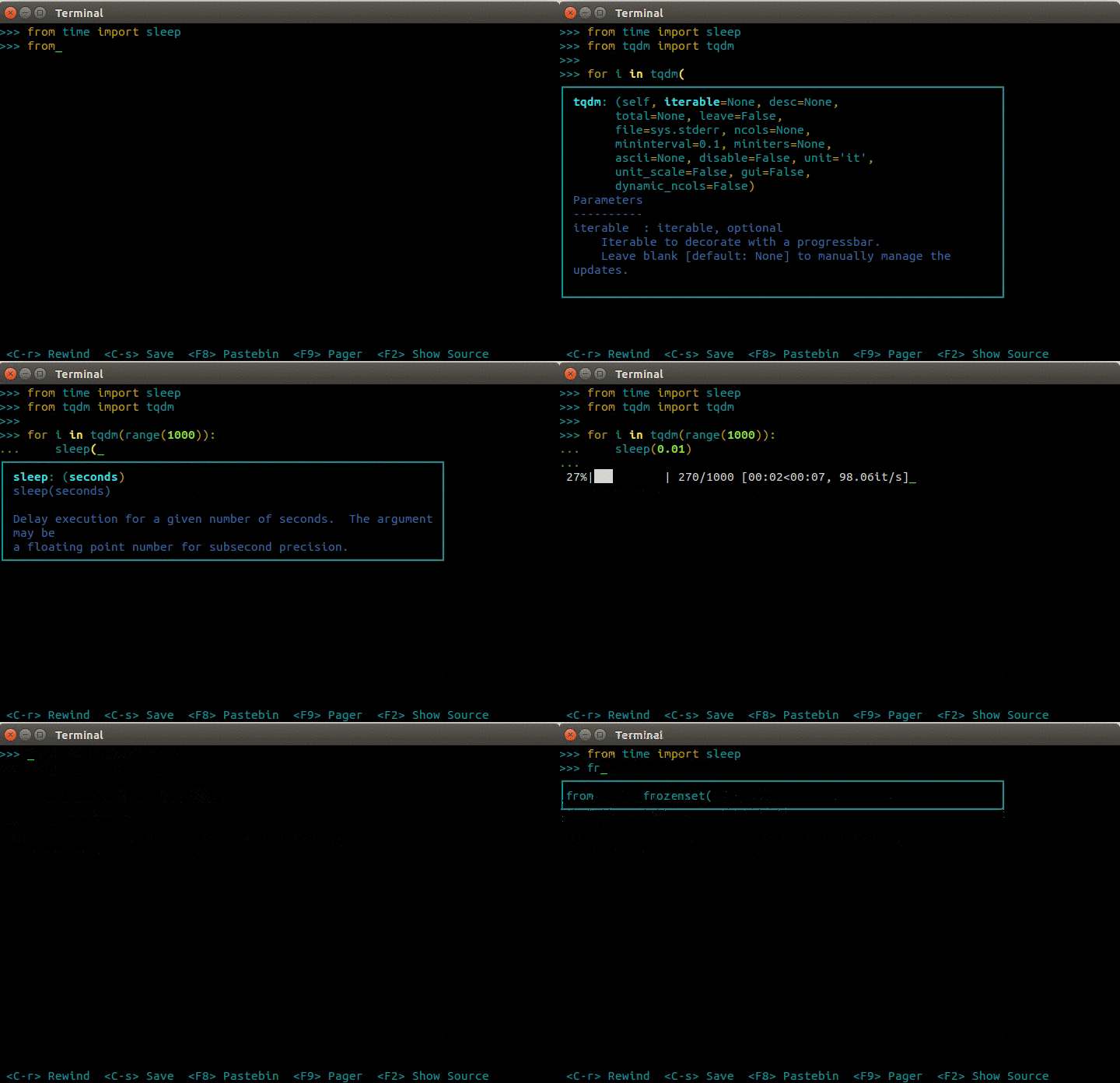 tqdm
tqdm
To put it plainly, it's used to display progress bars—and it looks great, is very intuitive to use (just wrap your loop body with tqdm), and barely affects the efficiency of your original program at all. It truly lives up to being both "powerful and beautiful." Just imagine how pleasant it is to write a long-running program with this at hand!
2. retry
As its name suggests, retry is used to implement retry logic. There are many times when we need retry functionality—for instance, when writing a web crawler, network issues can sometimes cause a scraping attempt to fail, and then you need to retry. I would usually write it like this (retrying every two seconds, five times in total):
import time
def do_something():
    xxx

for i in range(5):
    try:
        do_something()
        break
    except:
        time.sleep(2)
This ends up being a bit cumbersome. With retry, all you need is:
from retry import retry

@retry(tries=5, delay=2)
def do_something():
    xxx

do_something()
That is, just add a single line, @retry, before the function definition.
Python truly spares you the trouble~
Translated automatically with claude-sonnet-5; all equations are reproduced verbatim from the source. Copyright remains with the original author.