Cool Papers Update: Simple Adaptation for Zotero Connector
For quite a while now, readers have been asking for Cool Papers to support importing into Zotero, but since I don't use Zotero myself, and I'm also somewhat lazy, it never made it onto my to-do list. This weekend I happened to have some free time, so I looked into it and put together a simple adaptation.
Single-Article Import
First, you'll need to install Zotero (this goes without saying), and then install the Zotero Connector extension for whichever browser you use. Once that's done, visit a single-paper page on Cool Papers, such as https://papers.cool/arxiv/2104.09864 or https://papers.cool/venue/2024.naacl-long.431@ACL, then click the Zotero Connector icon, and the paper — including the PDF file — will be imported automatically.
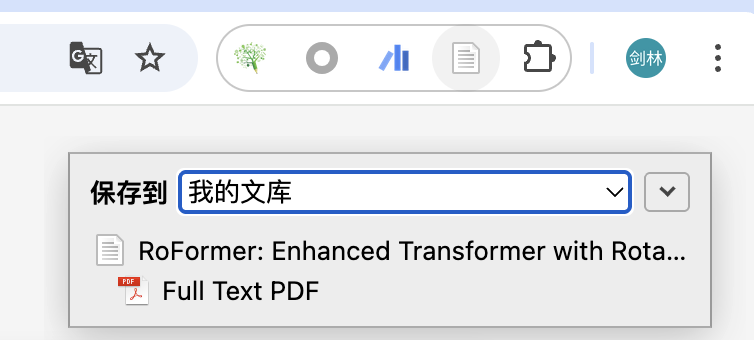 Importing a single paper into Zotero
more
The information saved includes the paper's title, authors, abstract, date, and its primary category (for arXiv) or venue (for conference papers). This is achieved by embedding metadata in the page header, so no extra configuration is needed on the user's end — the drawback being that it only supports importing one paper from one page at a time.
Batch Import
If you want to support batch import, that can only be done through a Translator, which is a necessary component for implementing more complex imports. When you visit the arXiv website, Zotero Connector can automatically detect multiple papers and let you choose which to import — this is done via a Translator. It's just that arXiv's Translator is already built into Zotero, whereas Cool Papers' naturally had to be written from scratch.
A Translator is essentially a piece of JS code. I've already written one and put it up on Github (link). Readers just need to download it and place it in Zotero's translators directory (on macOS this is "User/Zotero/translators"), then restart Zotero for it to take effect. (Note that the Translator needs to be placed in Zotero itself, not in Zotero Connector.)
Now, when you visit a listing page, such as https://papers.cool/arxiv/cs.AI or https://papers.cool/venue/ACL.2025, the Zotero Connector icon should normally change into a folder shape. Clicking it will bring up a multi-select box like this:
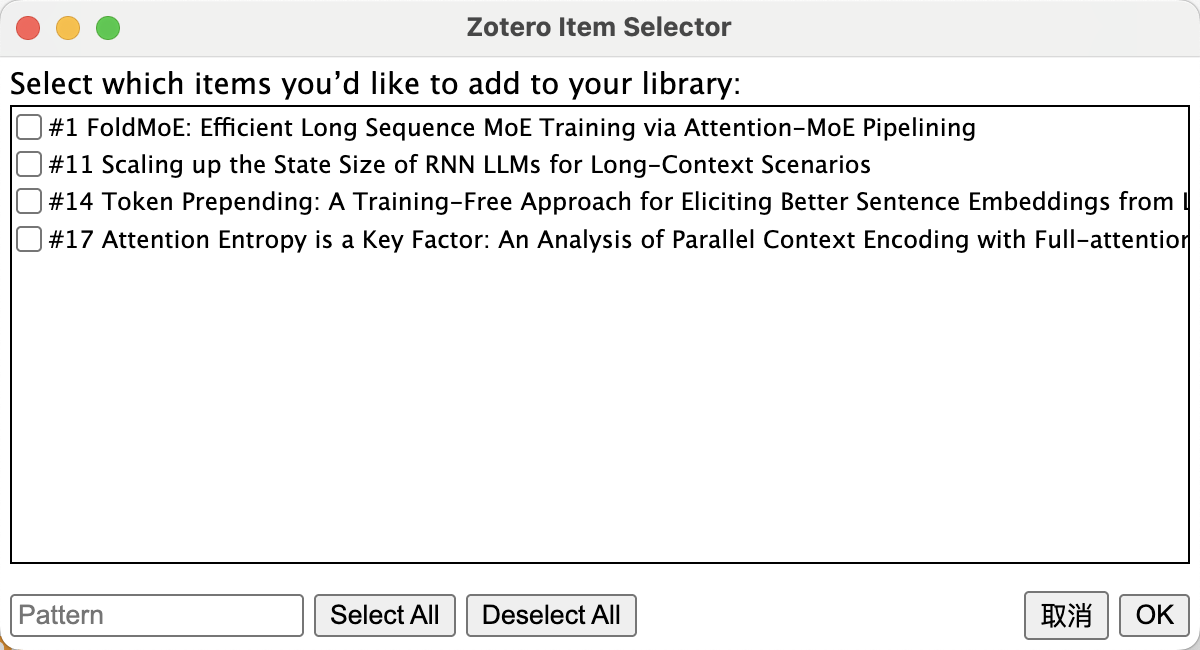 Batch importing into Zotero
The papers shown here aren't all the papers on the current listing page — rather, they're the papers on the current page for which you've clicked "[PDF]" or "[Kimi]". This implies you might be interested in these particular papers, and thus might want to save them to Zotero for further reference. This is the underlying logic behind Cool Papers' Zotero adaptation.
Summary
I made a few simple adjustments to Cool Papers and wrote a Translator, so that, in conjunction with Zotero Connector, papers from Cool Papers can now be imported into Zotero.
Translated automatically with claude-sonnet-5; all equations are reproduced verbatim from the source. Copyright remains with the original author.